Electronic Prior Authorization Accelerator Workflow
Overview
The Electronic Prior Authorization Accelerator Worklist and Task History allows users to track the status and details of any action that has been completed on a prior authorization process. Users can select a process to see if Question Sets have been completed, responses have been acknowledged or if a prior authorization is awaiting a response from the PBM/payer. Filtering options allow users to define a custom date range (as well as other filters pertaining to the display).
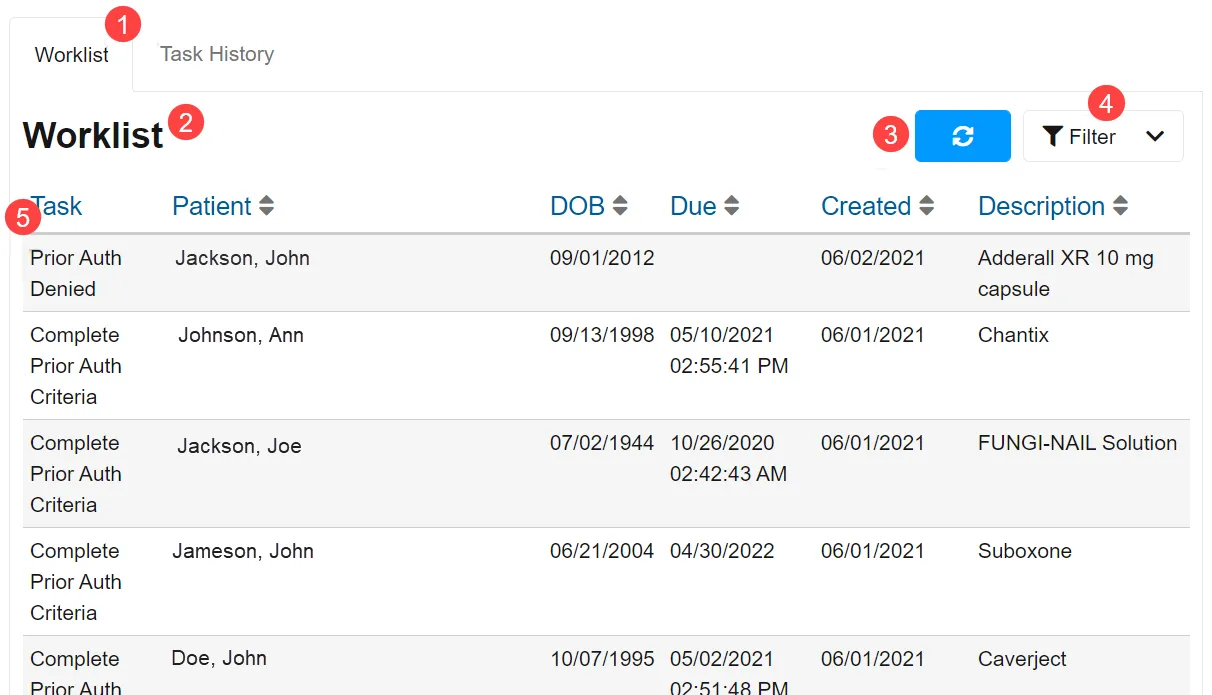
- Navigation Bar – Users can switch between viewing their Worklist or Task History. If the Navigation Bar is absent, users must use their EHR user interface to invoke each view separately.
- Active List Name – Indicates if which tab is associated with the current display (Worklist or Task History).
- Refresh Button – Can be selected to manually refresh the current list.
- Filtering Options – Users can select Filtering Options to show the list of available filters. Currently, users can filter by Patient First Name, Patient Last Name, Patient Date of Birth, Created From/Through Date, Due Date From/Through, and Status.
- Task List – Shows the list of in progress and completed processes that a user has access to. By selecting a column header (other than Task), users can sort their processes in ascending/descending order. Only one sortable criterion may be active at one time. ▲ indicates a descending sort, while ▼ indicates an ascending sort.
Reviewing a Prior Authorization Process
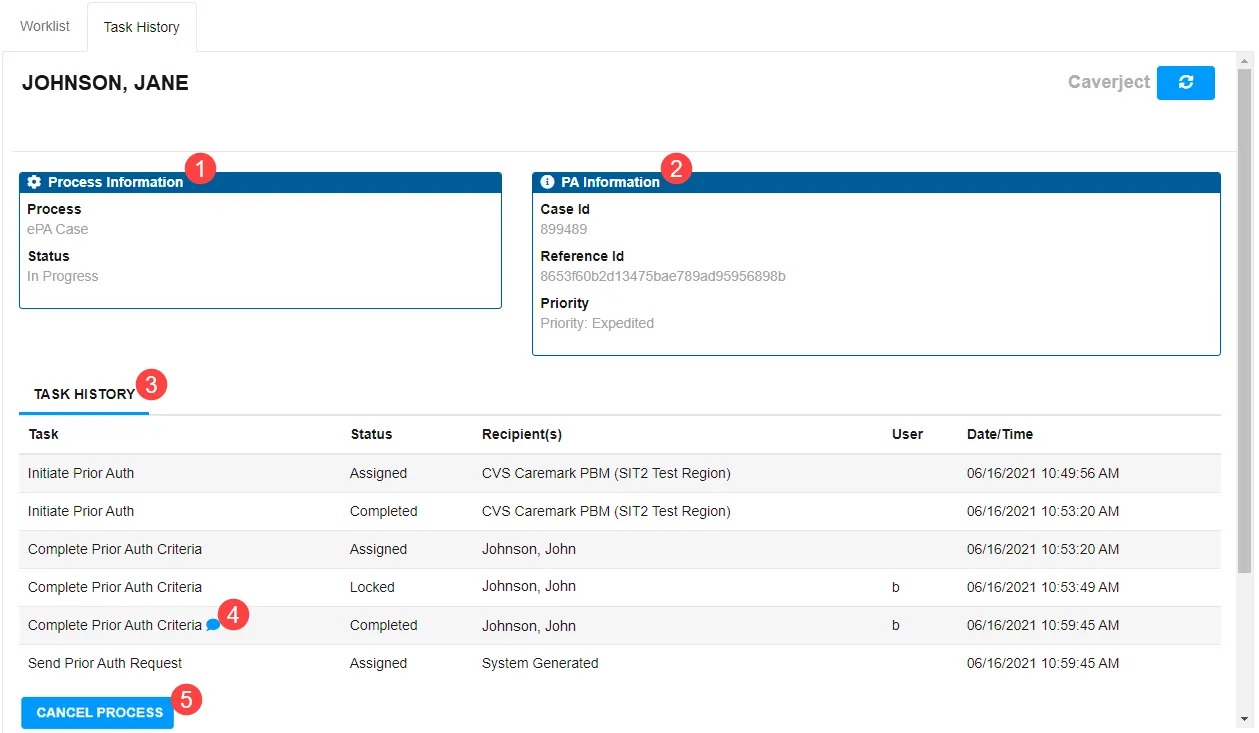
- Process Information – Details the Type and Status of a Prior Authorization (PA). If the PA is locked by another user, “Locked By” will be indicated here and will also be indicated by a closed lock in the Task/Patient header.
- PA Information – Includes the details of the ePA case including PA Case ID (assigned by the PBM/payer), associated PA Notes, and details of action required.
- Task History – Includes task type, status, recipient, and responded date.
- Completed Question Set Indicator – This button allows users to review the responses to a completed ePA Question Set.
- Cancel Process Button – This button is used to cancel an in progress ePA; this will generate a PACancelRequest to the PBM/payer.
Completing Action Required on an In Progress Prior Authorization
If the prior authorization is in progress and requires action, the Process Details area has a link describing the action that is required from the user. By clicking on the link, the user is brought to the ePA task to complete the action. Examples of this are shown below:
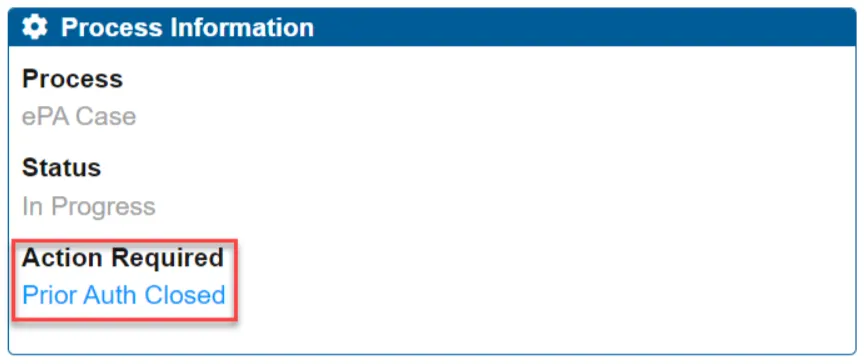
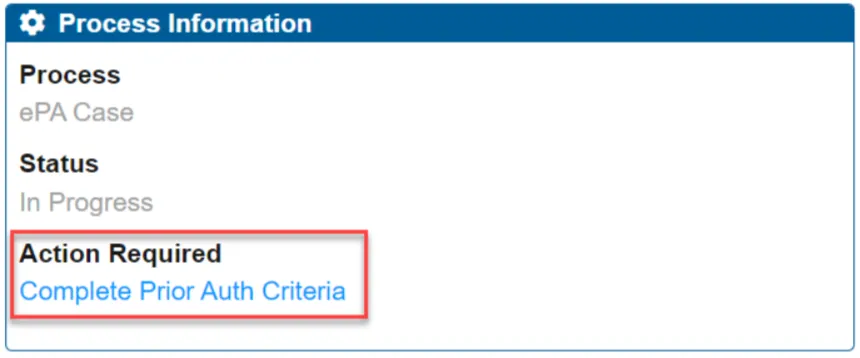
Cancelling a Prior Authorization
Prior authorizations can be cancelled only after a CaseID is provided by the PBM/payer with the PAInitiationResponse. Once this information is provided, a Cancel Process button or Cancel Prior Authorization drop-down (from the Options menu) will be available. If the PBM/payer has not yet provided the CaseID, the Cancel Process button will not be available. Users that have access can select the button to generate a PACancelRequest message.