Managing Delegates
1 min
Delegate accounts are available for users that are managing a prior authorization on behalf of the prescribing provider.
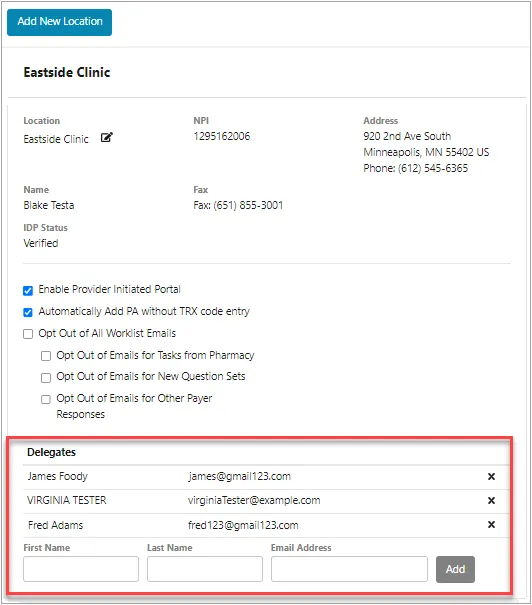
To add and remove a delegate:
- Click the user account menu in the upper-right corner of the screen, and then select Location Management.
- Navigate to the location where you wish to add the delegate.
- Enter the delegate’s First Name, Last Name, and Email Address in the provided fields, and then click the Add button.
- You may remove an existing delegate by clicking their corresponding X button.
Note: For more information about delegates, refer to the RegistrationRegistration section.